¶ Introduction
All MG BMS units (Master LV, Master HV and SmartLink Connect) continuously monitor the connected batteries to ensure the system operates safely.
If the BMS detects a condition that threatens safety or proper operation, the Safety lock mechanism is activated.
A Safety lock is a permanent failure state. In this state, the BMS will stay in fail-safe mode since system safety can no longer be guaranteed.
The system can only be unlocked if the following has been validated by a MG-qualified technician:
- The root cause of the issue has been resolved
- The system is safe to operate again
¶ Diagnose
To confirm if a Safety lock is triggered, check the following:
- The BMS is in fail-safe mode. It will beep/blink(red) 14 times
- The contactor remains open and the BMS is not able to (re)start
- The BMS event log shows a
Safety lockevent, including the reason it was triggered - The status shown in the MG Diagnostic tool or MG Connect app shows
Safety lockas failure
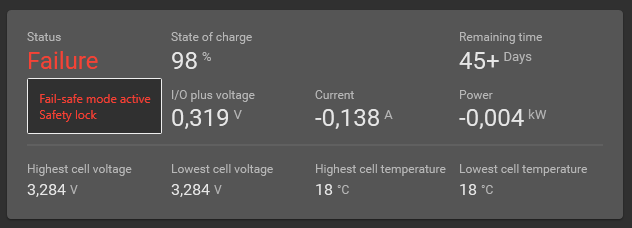
Make Sure to have the latest Diagnostic tool version installed (V1.41 or later)
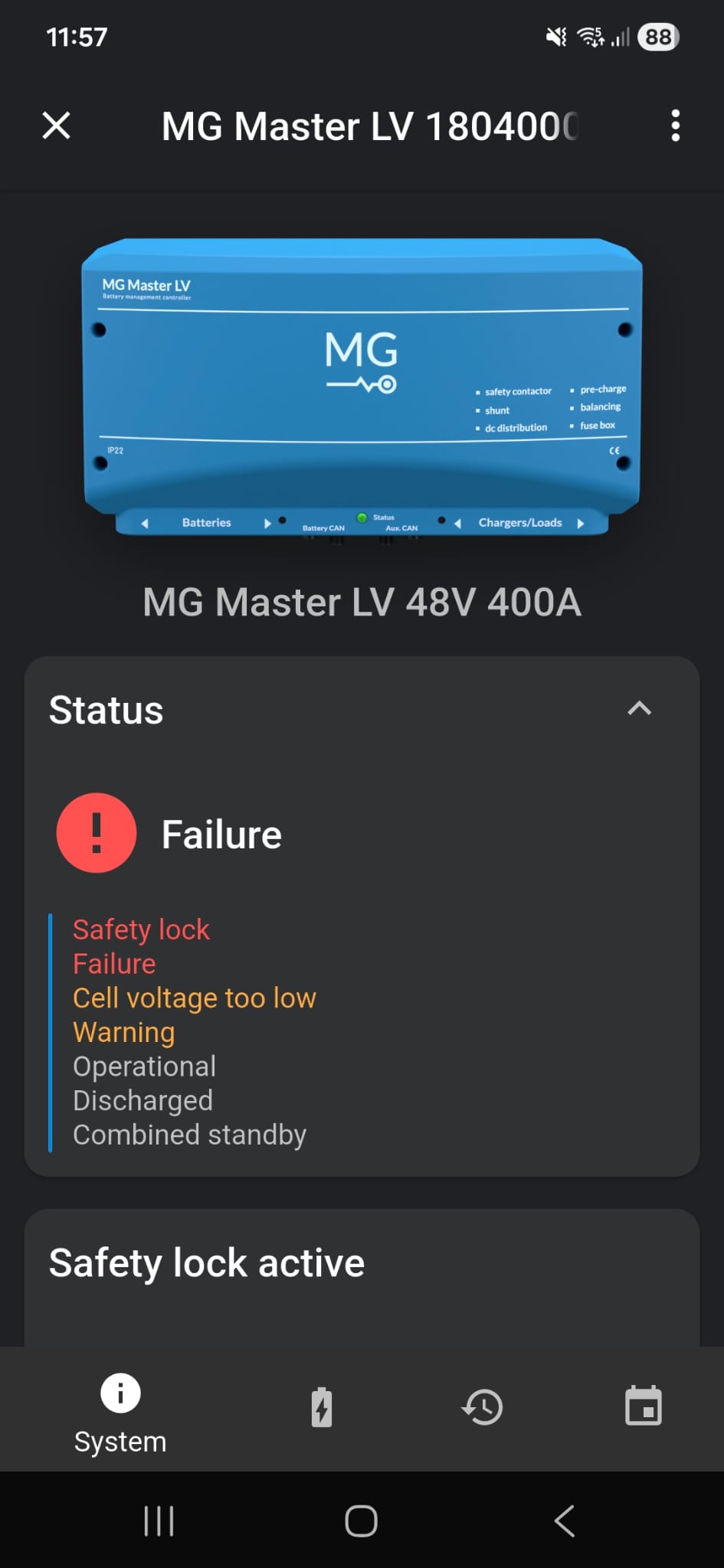
Verify you have the latest MG Connect APP version installed (V1.8.xx or later)
¶ Cause
A Safety lock is triggered when a critical boundary limit is exceeded far beyond the safe operating range.
Possible causes:
- Battery cell voltage is too low or too high
- Battery temperature too low or too high
The exact threshold values differ per battery type. Refer to the "Boundary Limits" section in the relevant battery manual for detailed specifications.
Battery manuals are available on the download page at:
https://downloads.mgenergysystems.eu/
¶ Unlocking procedure
If a Safety lock has occurred, the following three steps need to be taken:
¶ STEP 1:
Contact your MG dealer and provide the dealer with a system snapshot to assist with the diagnosis.
Instructions for creating a snapshot can be found here: MG Diagnostic tool or MG Connect app.
System Snapshot of the failed system is mandatory for the MG dealer to help you unlock the system.
¶ STEP 2:
An unlock code will be generated by MG if the following conditions have been validated by a MG-qualified technician:
- The root cause of the issue has been resolved
- Diagnosis shows that the system is safe to operate again
If the operating limits were exceeded too far, the MG Qualified Dealer may require replacement or removal of the offending module or modules before providing the unlock code.
¶ STEP 3:
The last step is to unlock the BMS.
The BMS will restart immediately after unlocking. Make sure that the installation is safe before beginning the unlock procedure!
Use the MG Diagnostic tool or MG Connect app to enter the Unlock code provided by MG:
Make Sure to have the latest Diagnostic tool version installed (V1.41 or later)
- Copy the given unlock code to your clipboard
- Open the MG Diagnostic tool and connect to the BMS
- Click on the BMS information tile to open all details
- Click on
Paste unlock codeto unlock the BMS
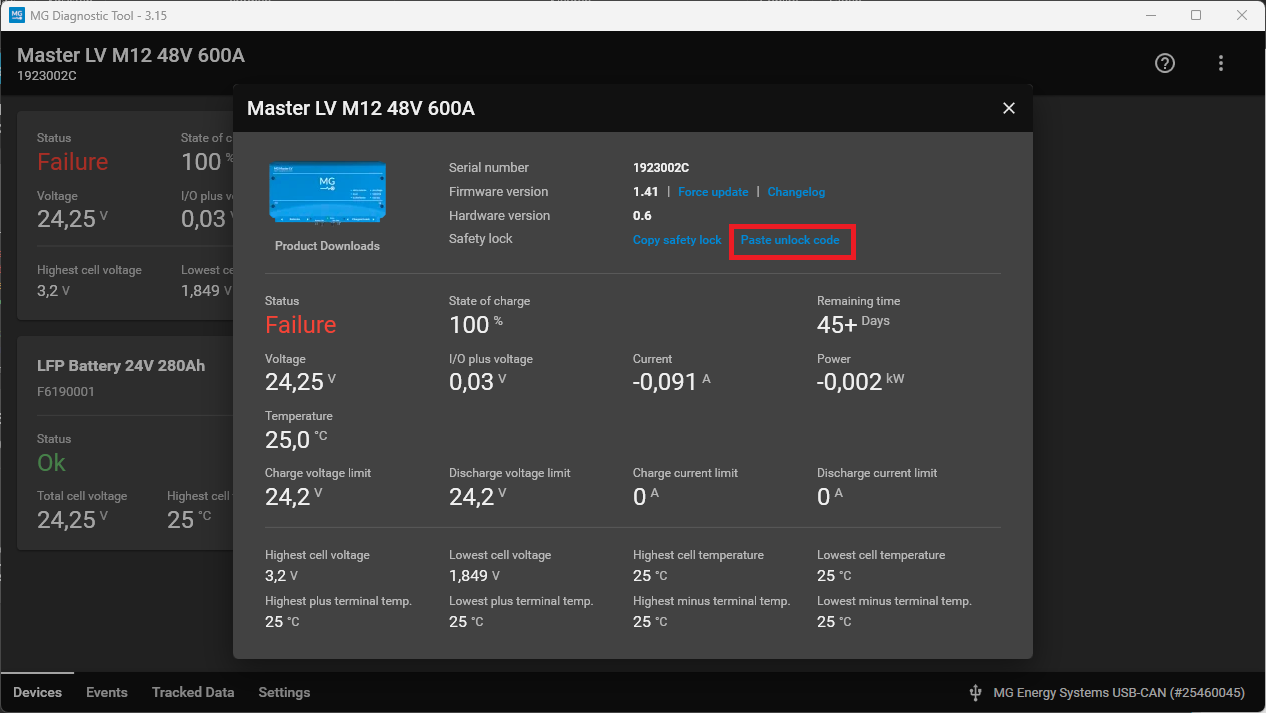
Once entered the BMS should automatically restart. If used in a Combined System, it may enter the Wait state and may require a Start Command from the Smartlink MX.
The BMS will restart immediately after unlocking. Make sure that the installation is safe before beginning the unlock procedure!
Turn OFF DC loads if required to avoid Precharge failure
Verify you have the latest MG Connect APP version installed (V1.8.xx or later)
- Copy or write down the given unlock code
- Open the MG Connect app and connect to the BMS
- Scroll down until you see the Safety lock tile and press
Unlock with code
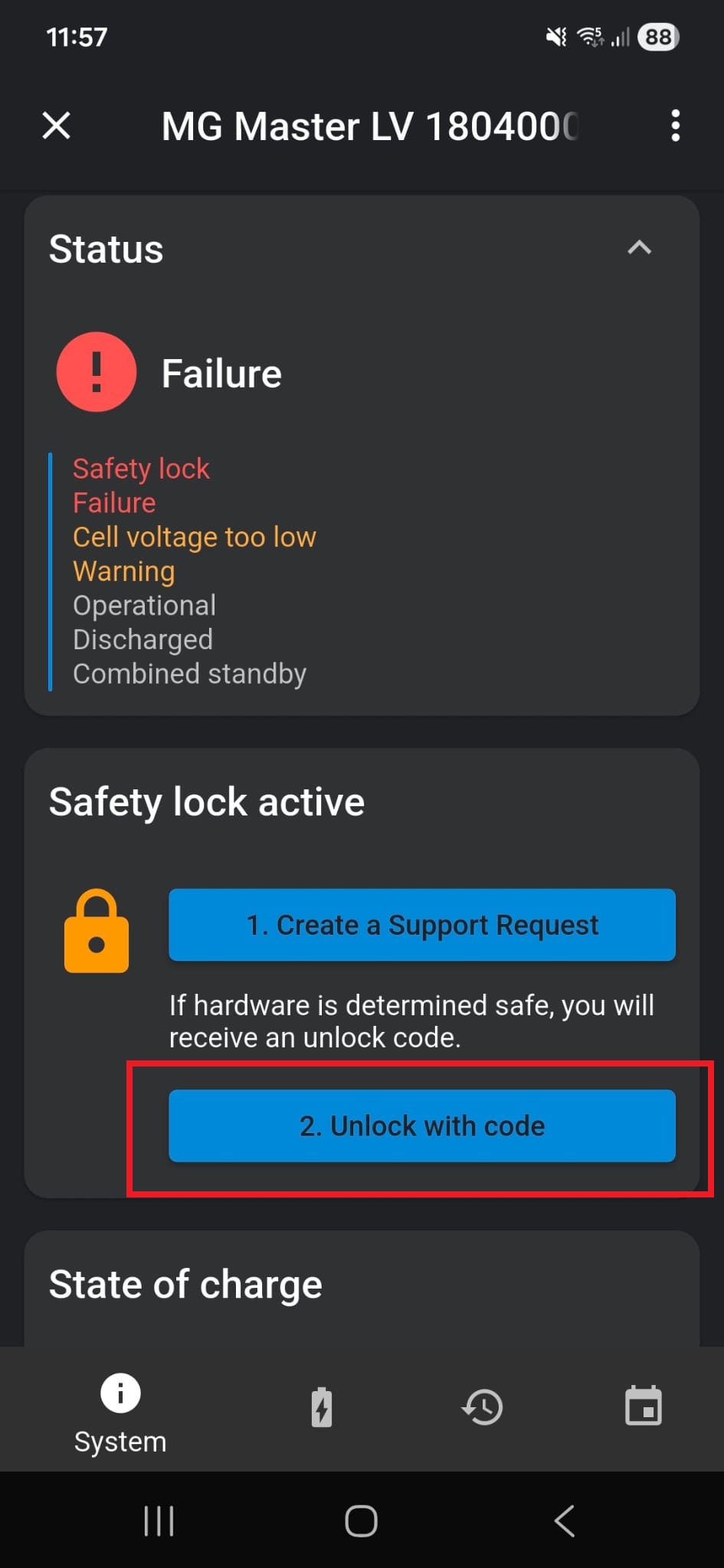
- Enter or paste the unlock code and press
Unlock
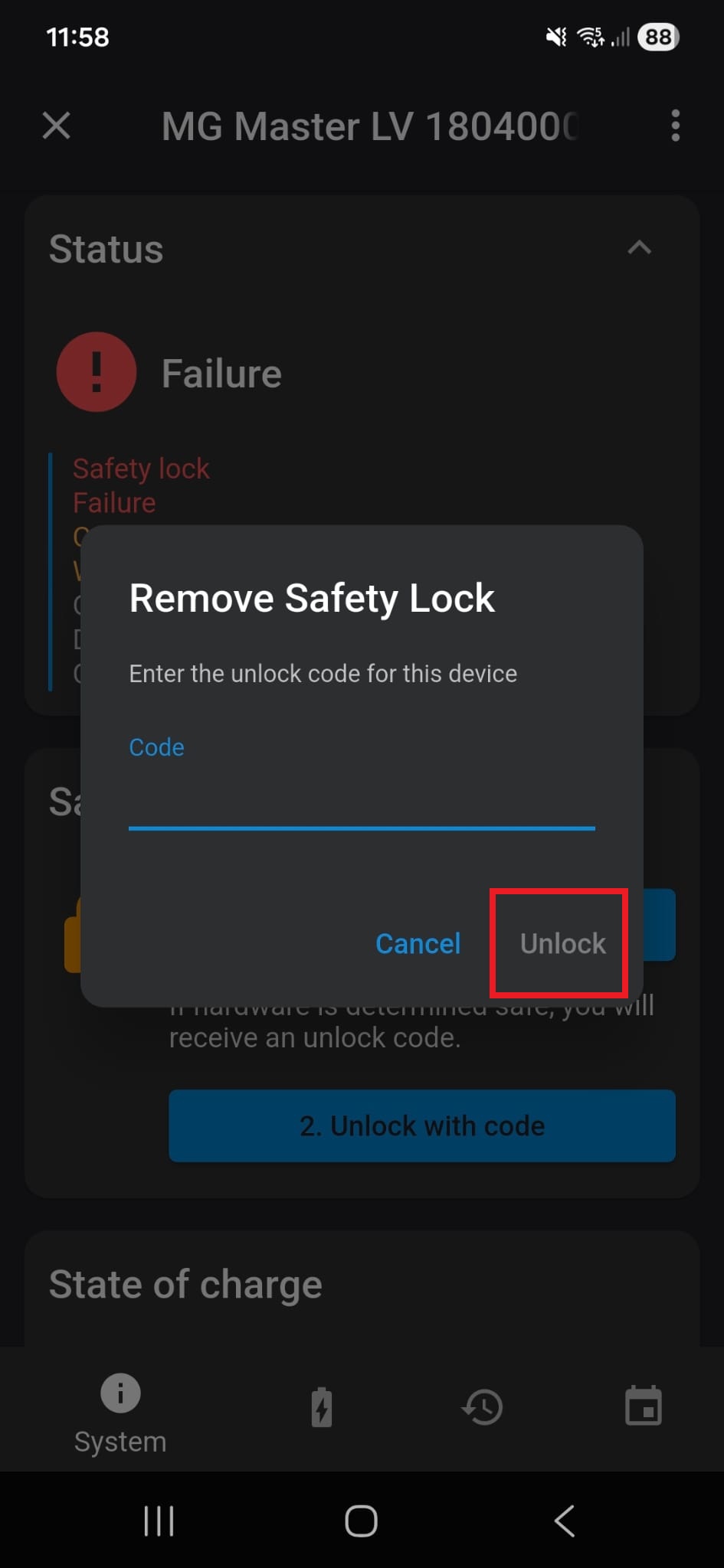
Once entered the BMS should automatically restart. If used in a Combined System, it may enter the Wait state and may require a Start Command from the Smartlink MX.
The BMS will restart immediately after unlocking. Make sure that the installation is safe before beginning the unlock procedure!
Turn OFF DC loads if required to avoid Precharge failure